Managing your AI Integrations
The AI Providers page in Maatdesk allows each user to manage their custom integrations with external Artificial Intelligence (AI) tools.
These integrations can significantly enhance your workflow by connecting your Maatdesk data and actions with powerful AI capabilities.
This guide explains how to set up a new AI provider, and how to edit or delete your existing integrations.
Table of contents
- Accessing AI Integrations Page
- Adding an AI Integration
- Editing an AI Integration
- Deleting an AI Integration
Accessing AI Integrations Page
To access your personal AI Provider management page, follow these steps:
- Log in to your Maatdesk account.
- Navigate to Settings in the left-hand sidebar.
- Select AI Providers inside the Personal section.
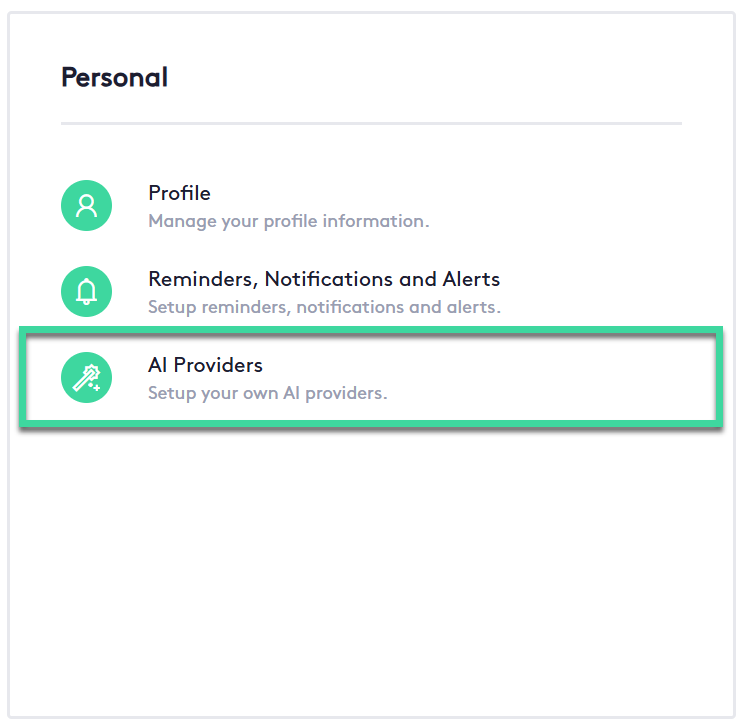
You will see a list of your currently configured AI integrations, or an option to Add an AI Integration if you have none configured.

Adding an AI Integration
To add a new AI Integration you have to first have your API Key from Gemini or OpenAI
- In the AI Integrations window, click the Add AI Integration button.
- The Add new AI Integration for will slide from the right.
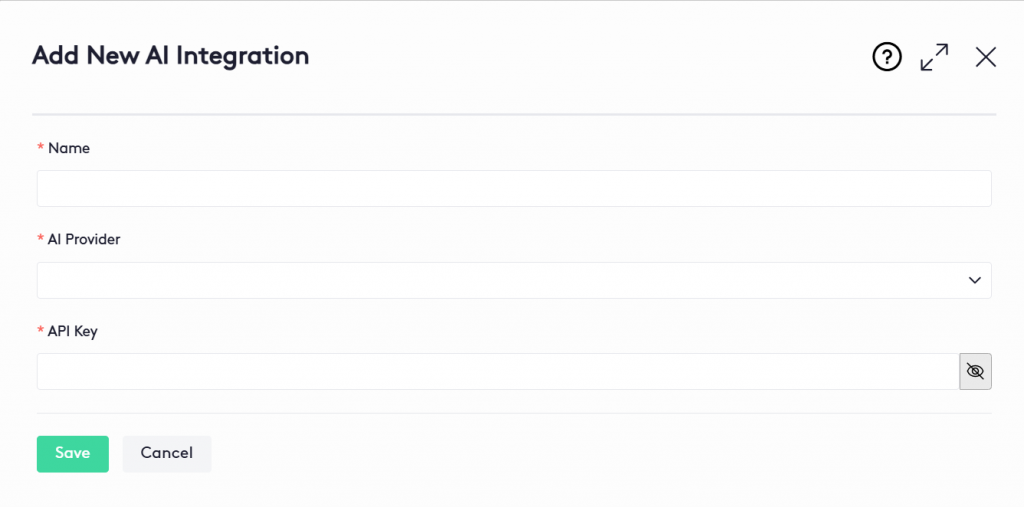
- All of the following fields are mandatory:
Name: Name you will identify the integration
AI Provider: List of providers you can choose from [OpenAI, Gemini]
API Key: Your provider API Key (You can learn how to get it in this article). - Click Save button
Editing an AI Integration
To start editing an AI Integration:
- In the AI Integrations window, at the beginning of the AI Integration row in the table, Click the Edit (
 ) button.
 - Once the Edit AI Integration panel is displayed:
* Make the necessary changes as described in the section Adding an AI Integration. - Click Save button

Deleting an AI Integration
To delete an integration:
- Go to the AI Integrations window
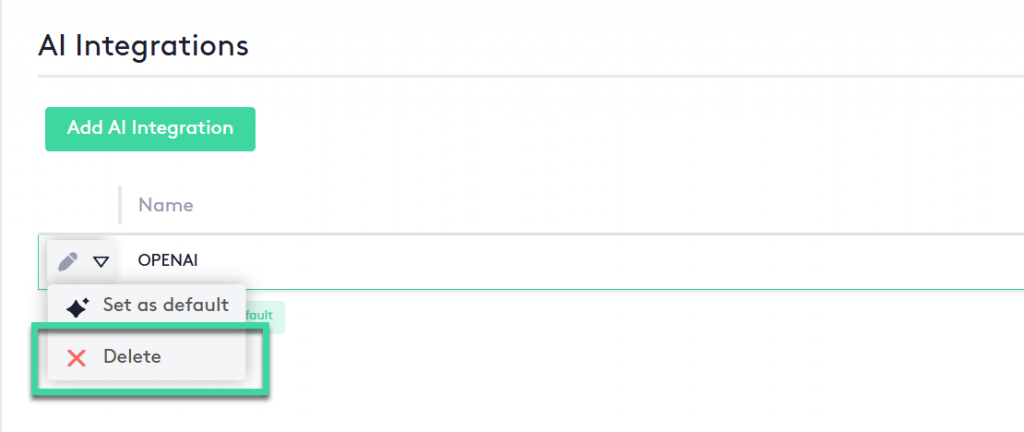
- Click the action selector next to the Edit () button at the beginning of the integration’s row in the table.
-
Click the Delete (
 ) button.
Once your AI Integrations are created you can now start using Maatdesk’s AI Tools