Managing User Notifications in Maatdesk
The User Notification Settings page in Maatdesk allows each user to control how and when they receive alerts about key activities across the platform. These settings help ensure you stay informed about updates that matter—without unnecessary noise.
This guide explains what each notification category means and how to customize your preferences.
Accessing Notification Settings
- Log in to your Maatdesk account.
- Navigate to Settings in the left-hand sidebar.
- Select Reminders, Notifications and Alerts inside Personal section.
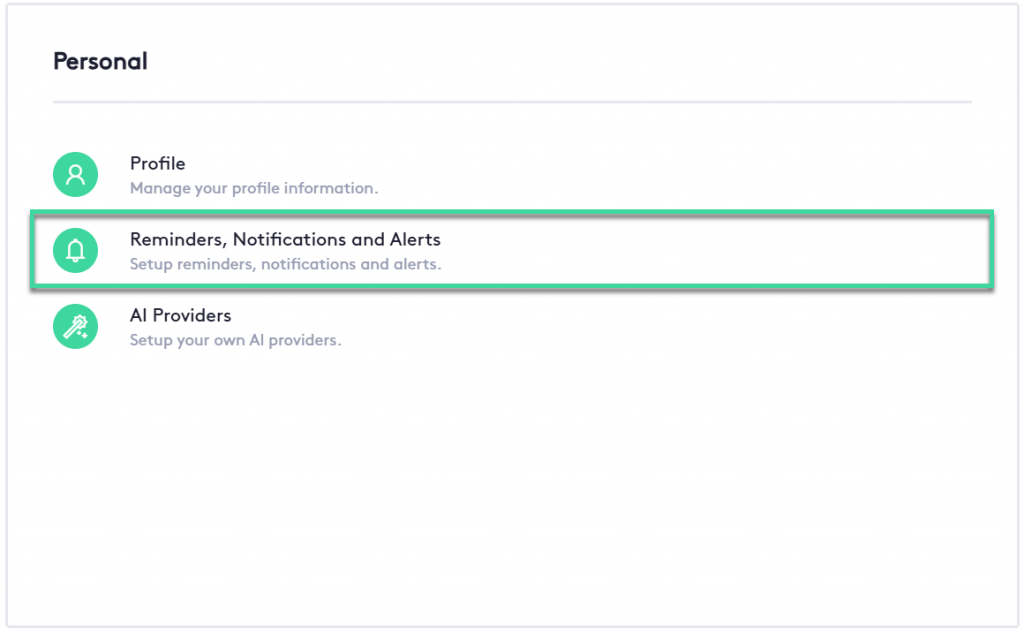
You can also access this page going to Profile > And selecting notification tab on the top right
You will see a list of notification categories, each with toggle switches that allow you to enable or disable specific alerts.
Adjusting Notification Preferences
To enable or disable a notification:
- Locate the appropriate category.
- Toggle the switch next to the notification type:
- Green / On → You will receive this notification.

- Grey / Off → Notifications are disabled.

- Green / On → You will receive this notification.
You can adjust each setting at any time. Changes are applied immediately once saved.
Understanding Notification Categories
The Notifications page is divided into sections based on workflow areas within Maatdesk. These categories help you tailor alerts to your role and responsibilities.
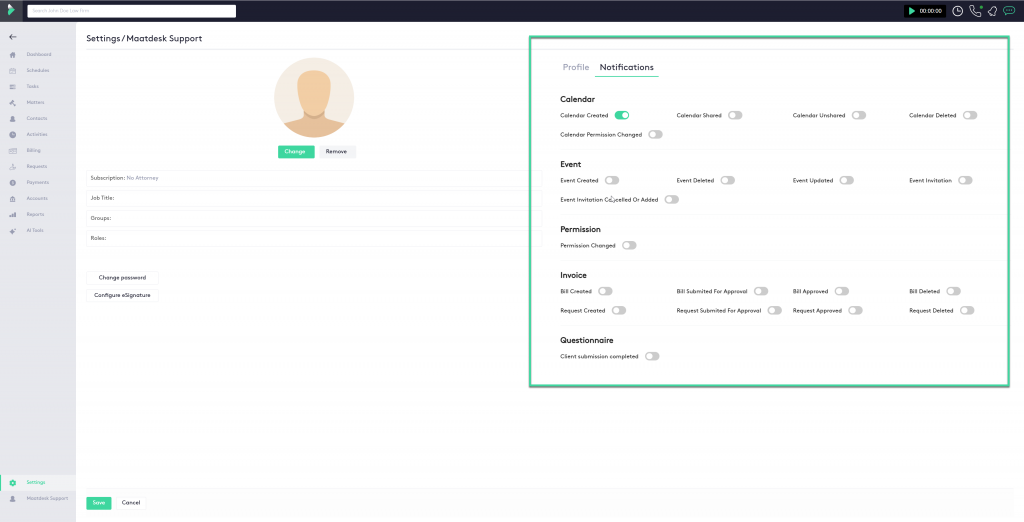
1. Calendar Notifications
These alerts keep you updated on changes to shared calendars or events scheduled within Maatdesk.
- Calendar Created: Notifies you when a new calendar is created.
- Calendar Shared : Alerts you when another user shares a calendar with you.
- Calendar Unshared : Notifies you when access to a shared calendar is removed.
- Calendar Deleted : Alerts you when a calendar is permanently removed.
- Calendar Permission Changed : Informs you when your access level to a calendar is modified.
2. Event Notifications
These alerts are related to scheduling and managing events within Maatdesk.
- Event Created: Triggers when a new event is added.
- Event Deleted: Alerts you when an event is removed.
- Event Updated: Notifies you when an existing event is modified.
- Event Invitation: Sent when you receive an invitation to an event.
- Event Invitation Cancelled or Added: Alerts you if changes are made to your event invitations.
3. Permission Notifications
- Permission Changed: Notifies you when your access or user permissions within Maatdesk are updated.
4. Invoice Notifications
These alerts help you stay informed about billing activity, approvals, and requests.
- Bill Created: Sent when a new bill is generated.
- Bill Submitted for Approval: Alerts you when a bill enters the approval process.
- Bill Approved: Notifies you when a bill receives approval.
- Bill Deleted: Triggered when a bill is removed.
- Request Created: Alerts you when a billing-related request has been created.
- Request Submitted for Approval: Notifies you when a request has been submitted for review.
- Request Approved: Sent when a request is approved.
- Request Deleted: Alerts you when a request is deleted.
5. Questionnaire Notifications
- Client Submission Completed: Notifies you when a client completes and submits a questionnaire.
Remember to Save Your Changes:
After adjusting your notification preferences, make sure to click the Save button at the bottom of the page. Your updates will not be applied unless the form is saved.