The Pleading Reviewer is an AI tool that analyzes a pleading or motion and points out weaknesses, missing elements, procedural risks and key arguments, so you can strengthen the document before you file it.
Note. To use AI Tools, you need an AI integration. If you don’t have one, read Managing your AI Integrations, or ask your administrator to give you access to a firm integration.
Table of contents
Open the Pleading Reviewer
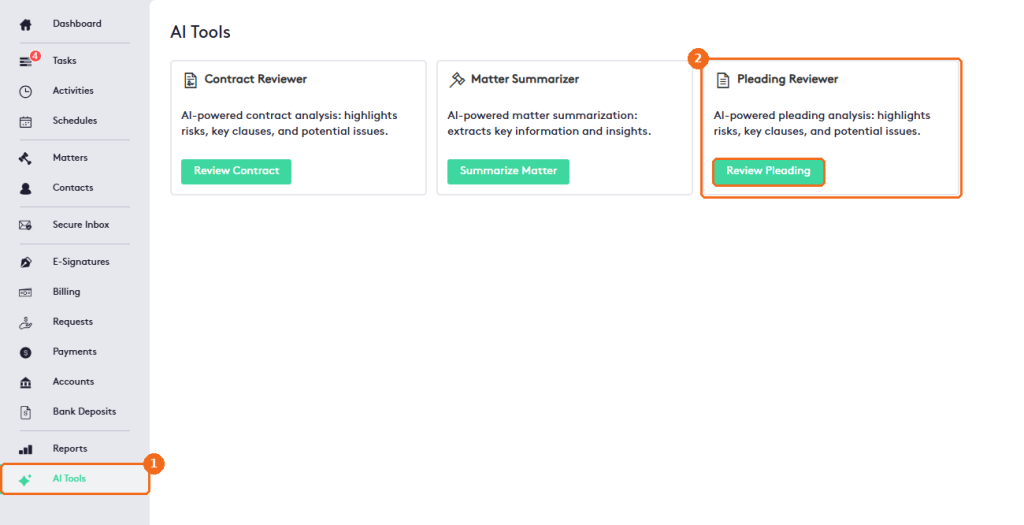
- In the left menu, click AI Tools.
- In Pleading Reviewer, click Review Pleading.
Review a pleading
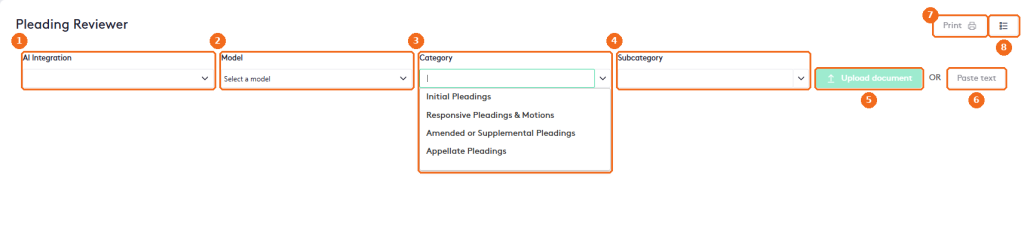
- Select the AI Integration to use.
- Select the AI Model of that provider.
- Select the Category of the document: Initial Pleadings, Responsive Pleadings & Motions, Amended or Supplemental Pleadings or Appellate Pleadings.
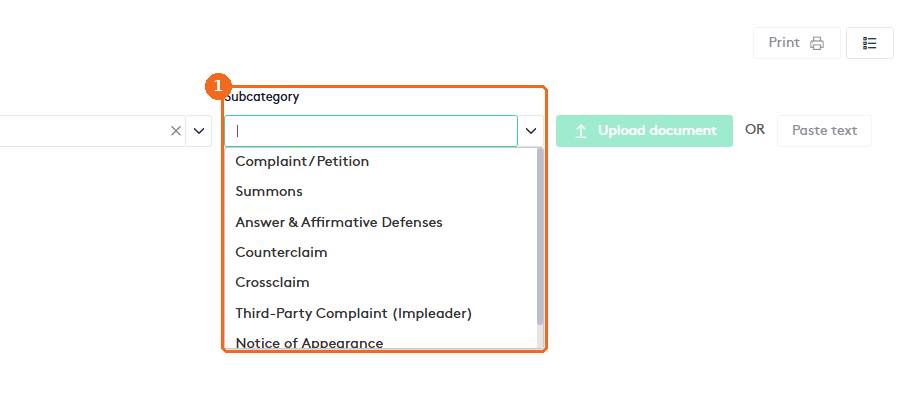
- Select the Subcategory. The options depend on the category.
- Click Upload document to review a file,
- or click Paste text to paste the text of the document. Then confirm to start the review.
- When the review is ready, click Print to print it.
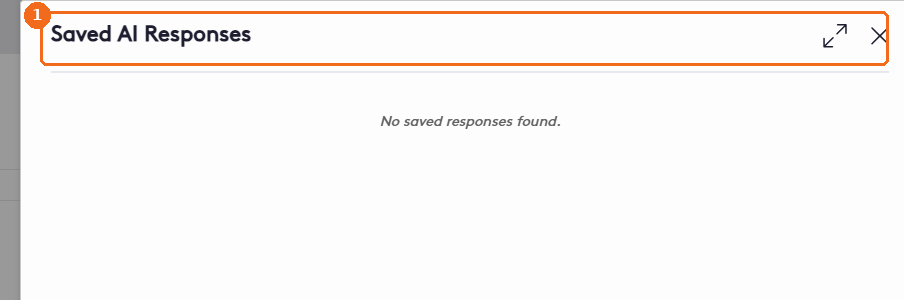
- The list button opens your Saved AI Responses.
For example, the subcategories of Initial Pleadings include Complaint / Petition, Summons, Answer & Affirmative Defenses, Counterclaim, Crossclaim, Third-Party Complaint (Impleader) and Notice of Appearance.
Upload document and Paste text are available after you select an AI integration.
The review
Maatdesk shows the analysis organized in sections and saves it automatically to your saved AI responses:
| Section | What it shows |
|---|---|
| Overall Score | A score of the document’s quality, based on factors such as clarity, compliance and persuasion. |
| Risk Level | The procedural or substantive risk of the pleading, for example Low, Moderate or High. |
| Context | The jurisdiction, court type and practice area used to choose the applicable rules. |
| Classification | The type of legal document, for example Complaint, Motion or Notice of Appearance. |
| Docket & Parties | The case number and the parties taken from the caption and body. |
| Document Summary | A short overview of the document’s purpose, main arguments and requested relief. |
| Findings & Risks | Deficiencies, procedural weaknesses and red flags, with why each matters and the governing rules. |
| Checklist | Whether the mandatory elements for this type of document, such as signatures and citations, are present. |
| Recommendations | Practical steps to fix the weaknesses found. |
| Citations | The rules and statutes cited in the pleading or used for the review. |
| Entities Extracted | People, organizations, dates and amounts found in the document. |
| Category Details | The analysis across pleading types, such as motion, complaint, answer and appellate. |
| Notes | A reminder that the review assists, and doesn’t replace, your professional judgment. |
Note. AI can make mistakes. Always check the review against the document and the applicable rules before you rely on it.
Saved AI responses
Click the list button at the top right to open Saved AI Responses, where you can find your previous reviews.