
Deadline types are the kinds of deadlines you can add to a matter, such as a discovery deadline or a statute of limitations. They are grouped by practice area. Maatdesk includes system types, and you can add your own.
Table of contents
The Deadline Types list
Click Settings in the left menu, then click Deadline Types.
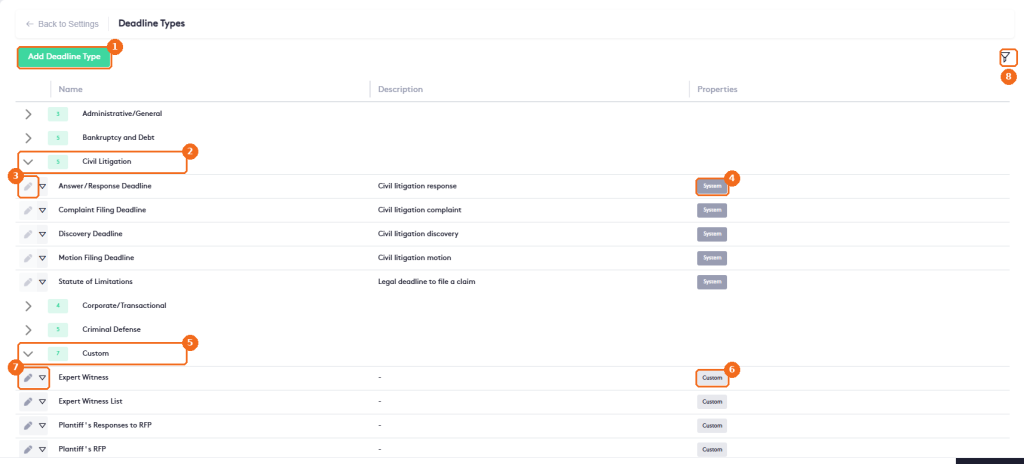
- Add Deadline Type creates a type.
- System types are grouped by practice area, for example Bankruptcy and Debt, Civil Litigation, Family or Statute of Limitations. The number shows how many types a group has. Click the arrow to show or hide them.
- System types can’t be edited or deleted. Their edit button is grayed out.
- System marks a type that comes with Maatdesk.
- The Custom group holds all the types created by your firm, whatever their practice area.
- Custom marks a type created by your firm.
- The edit button and the actions arrow of a custom type.
- The filter button. Filter by Name or Practice Area (select Custom to see your firm’s types), or click Clear.
Add a deadline type
Click Add Deadline Type.
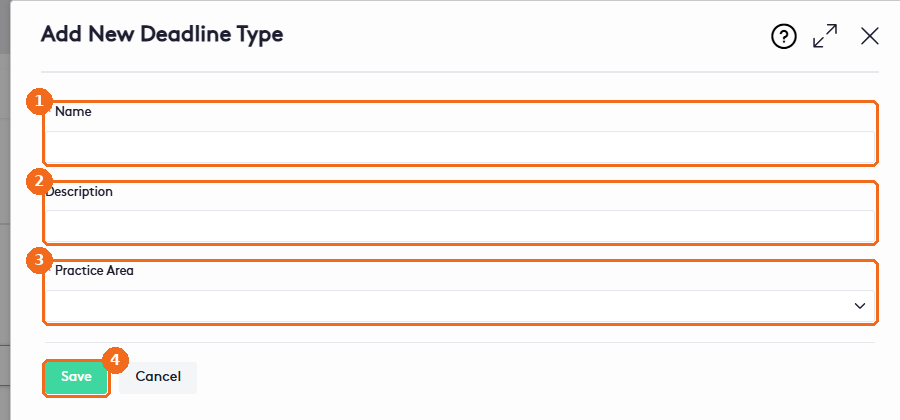
- Enter the Name (required).
- Enter a Description.
- Select the Practice Area (required).
- Click Save.
The new type is available when you add a deadline to a matter. See Managing Matter Deadlines.
Edit or delete a deadline type
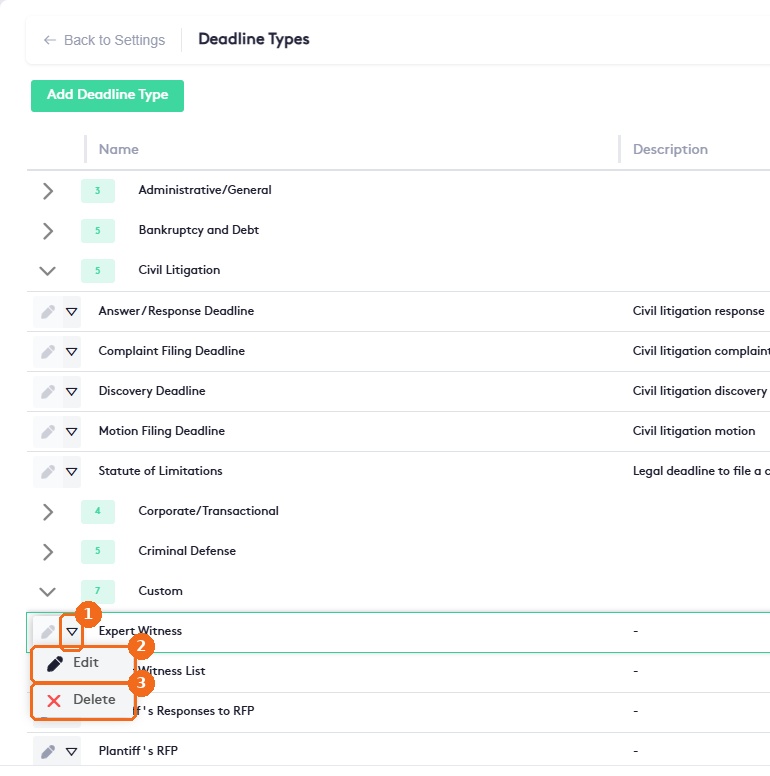
- Click the actions arrow of the type.
- Edit opens the type. Change the Name, Description or Practice Area and click Save.
- Delete removes the type.
Note. Only custom types can be edited or deleted. For system types, the edit button is grayed out and Delete is disabled in the actions menu.