Configuring Firm-Level AI Integrations
The Firm-Level AI Integrations settings in Maatdesk allow administrators to centrally manage AI provider configurations for the entire firm. Unlike individual AI Integrations—which each user configures independently—firm-level integrations can be assigned to all users, specific users, or user groups. This enables standardized, controlled, and scalable AI access across your organization.
This guide explains how to access the AI Firm Integrations Configuration panel, how to add and manage integrations at the firm level, and how to assign them to selected users or groups.
Note: You can learn more about Roles, Groups and Jobs Titles here
Table of Contents
- Accessing Firm-Level AI Integrations
- Adding a Firm AI Integration
- Editing a Firm AI Integration
- Deleting a Firm AI Integration
Accessing Firm-Level AI Integrations
To access the firm-wide AI Integrations configuration:
- Log in with an administrator account.
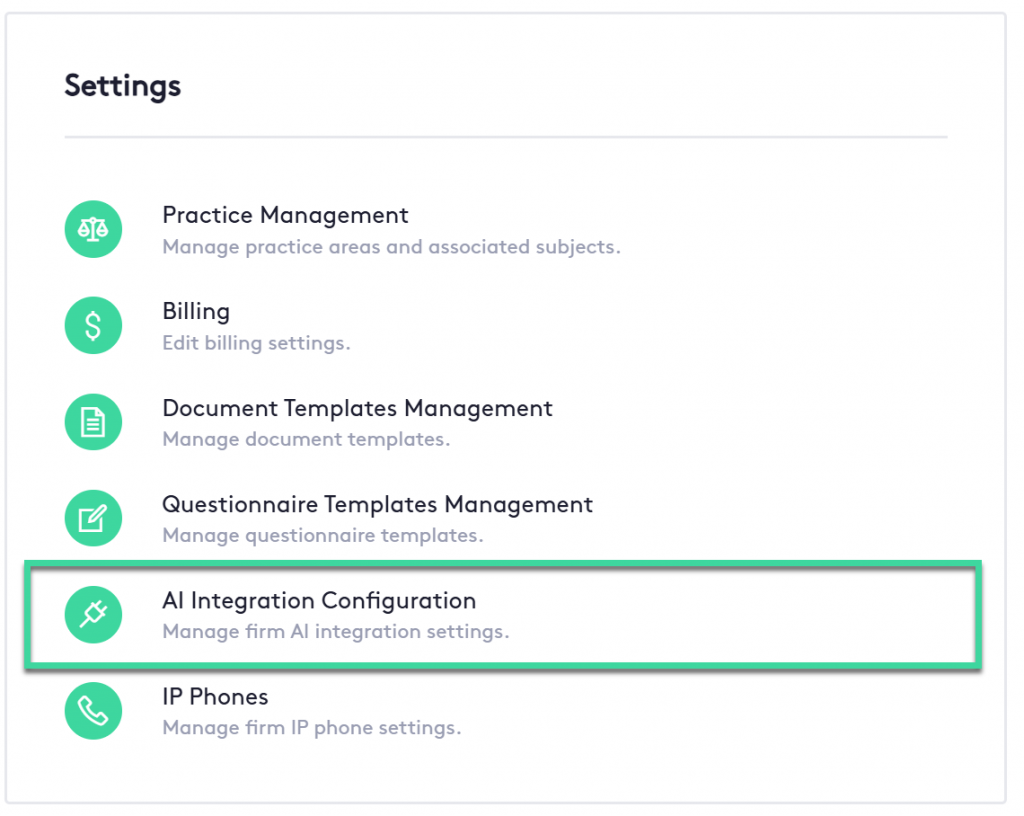
- Navigate to Settings in the left-hand sidebar.
- Select AI Integrations Configuration under the Firm section.
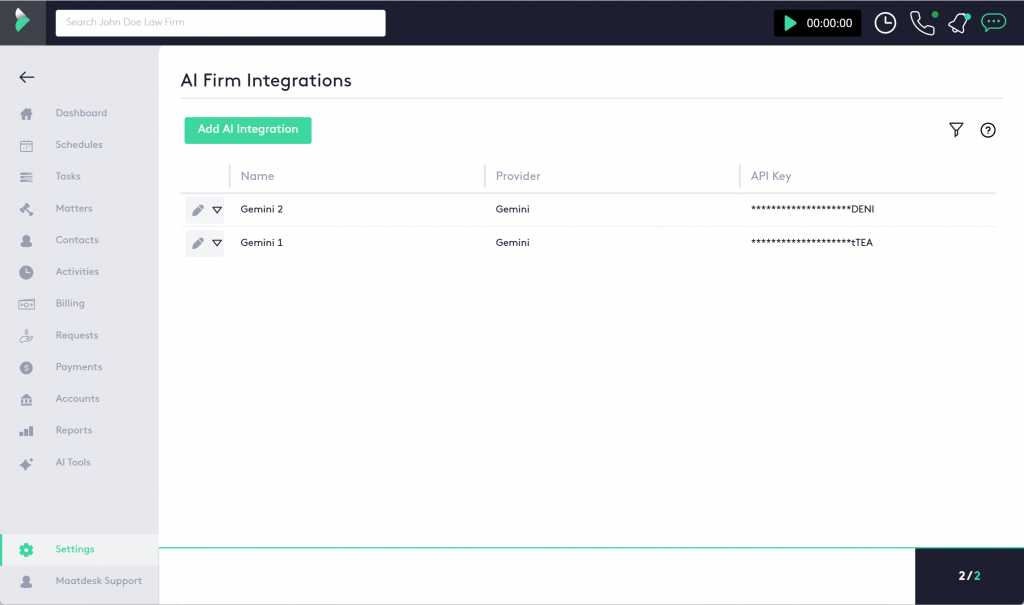
You will see a list of all firm-level AI integrations currently configured. If none exist, you will have the option to create the first one.
Adding a Firm AI Integration
Before adding an integration, ensure you have a valid API key from your AI provider (Gemini or OpenAI).
To create a new firm-level integration:
- In the AI Integrations Configuration window, click Add AI Integration.
- The Add New AI Integration panel will slide in from the right.
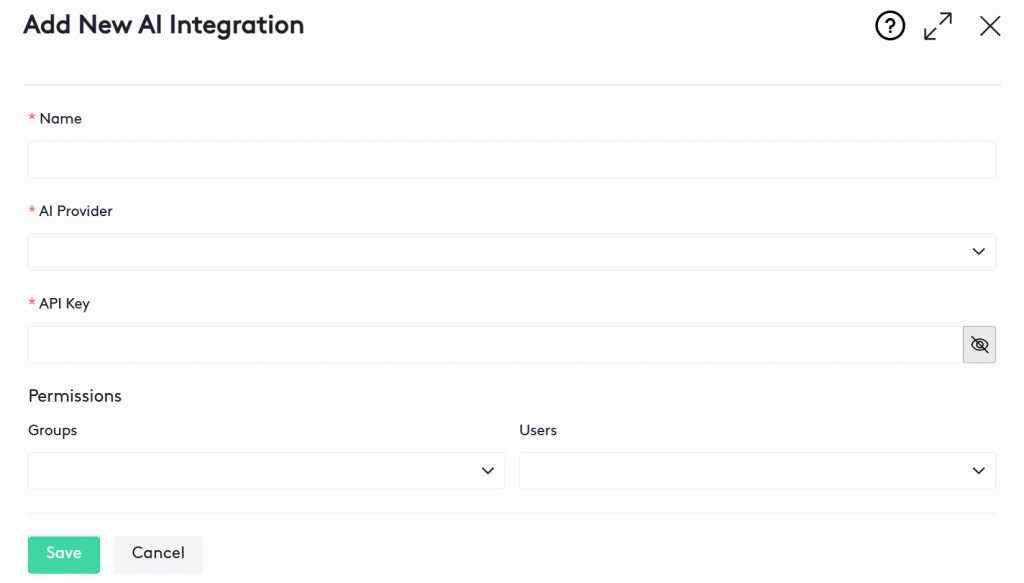
- Complete all required fields:
- Name: A descriptive name for internal identification.
- AI Provider: Select between OpenAI or Gemini.
- API Key: Enter the provider’s API key.
- Groups: Select the user groups that should have access to this integration.
- Users: Select individual users who should have access to this integration.
- Click Save.
Once saved, the integration becomes available for assignment to users and groups. They can now use them in the AI Tools section.
Editing a Firm AI Integration
To modify an existing integration:
- In the AI Firm Integrations window, at the beginning of the AI Integration row in the table, Click the Edit (
 ) button.
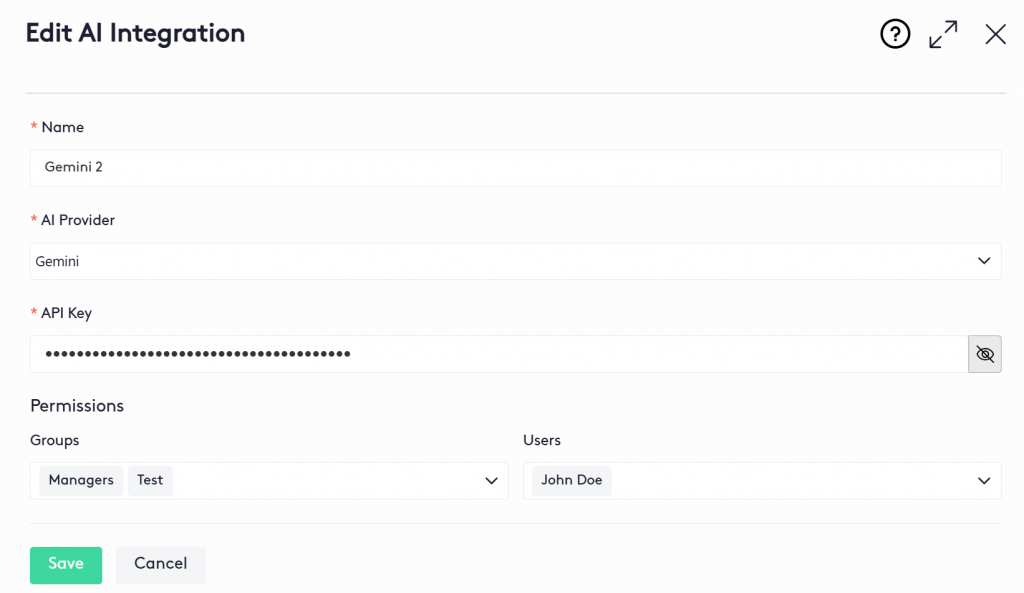
 - Once the Edit AI Integration panel is displayed:
* Make the necessary changes as described in the section Adding an AI Integration. - Click Save button
Deleting a Firm AI Integration
If an integration is no longer needed:
- Go to the AI Firm Integrations window
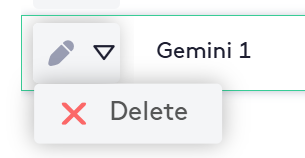
- Click the action selector next to the Edit button at the beginning of the integration’s row in the table .
- Click the Delete (
 ) button.
After deletion, any users or groups previously assigned to that integration will no longer have access to it.