
Add your own AI provider to Maatdesk, with your personal API key, to use AI Tools such as the Pleading Reviewer, the Contract Reviewer and the Matter Summarizer.
Table of contents
Open your AI integrations
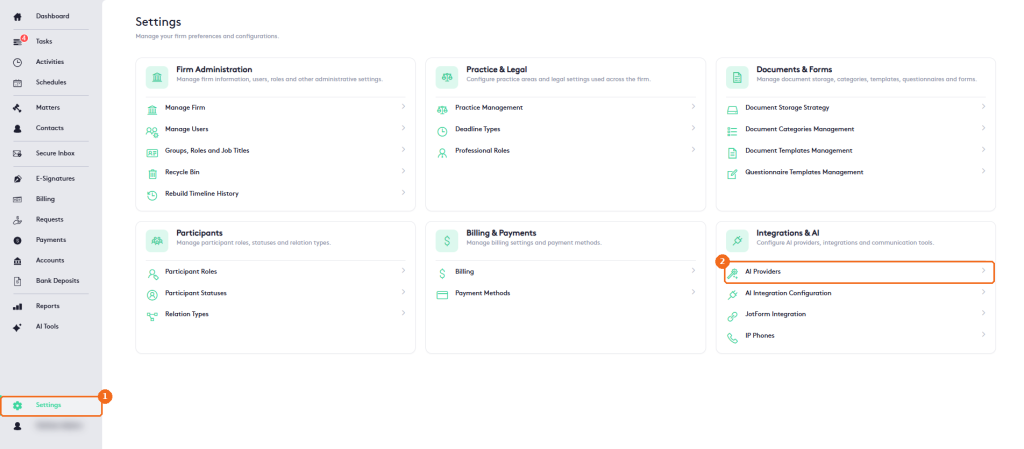
- In the left menu, click Settings.
- In Integrations & AI, click AI Providers.
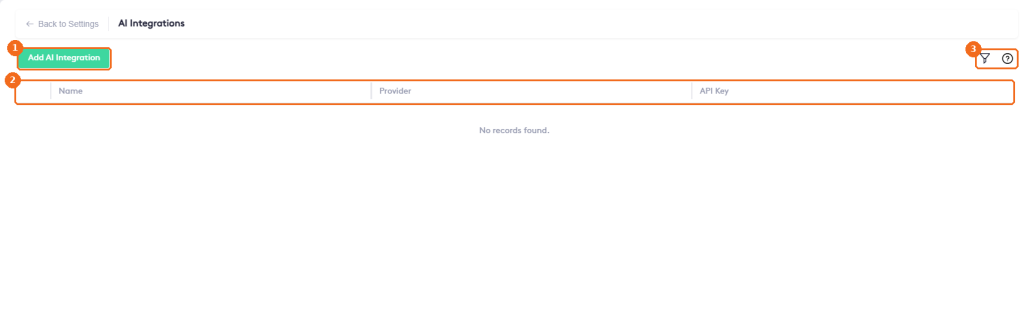
The AI Integrations page lists your personal integrations:
- Add AI Integration creates an integration.
- The list shows each integration’s Name, Provider and API Key.
- The filter button searches the list, and the help button opens the help.
Add an AI integration
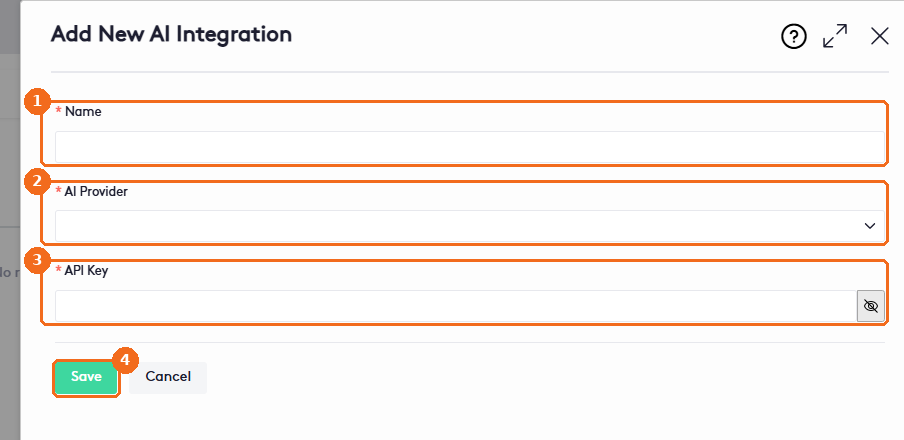
Before you start, get an API key from OpenAI or Gemini. To learn how, read How to Obtain an API Key for AI Tools. Then click Add AI Integration and, in the Add New AI Integration panel:
- In Name (required), enter a name that identifies the integration.
- Select the AI Provider (required): OpenAI or Gemini.
- In API Key (required), paste your key. The eye button shows or hides it.
- Click Save.
You can now use the integration in AI Tools.
Note. Keep your API key private. Anyone with the key can use your AI provider account, and your provider may charge you for that use.
Edit or delete an AI integration
- In AI Integrations, click the pencil at the start of the integration row to edit it. Change the fields as needed and click Save.
- To delete it, click the arrow next to the pencil and click Delete.
An administrator can also set up integrations for the whole firm. To learn more, read Configuring Firm-Level AI Integrations.