
Your profile has your personal information, your time zone and your password. Keep it up to date so notifications and documents show the right data.
Click your name at the bottom of the left menu and select Profile.
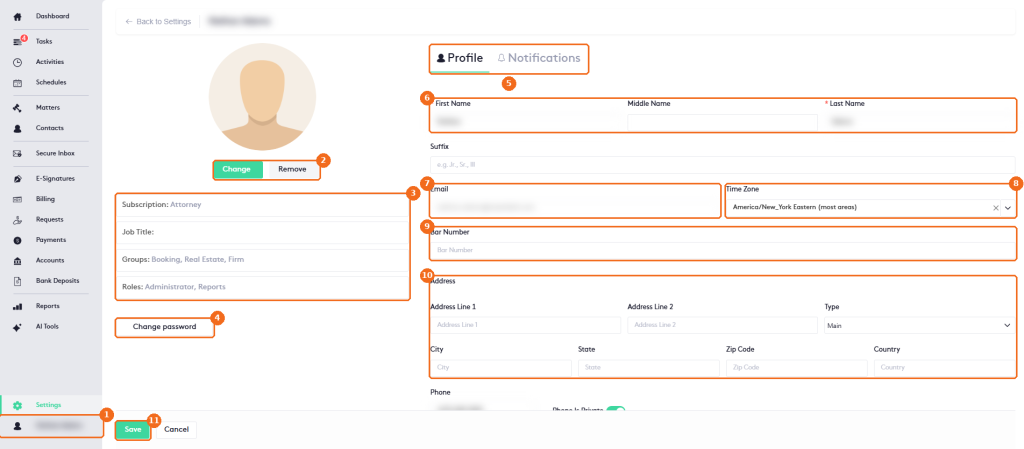
- Your name in the left menu opens the user menu.
- Change uploads a profile picture. Remove deletes it.
- Your Subscription, Job Title, Groups and Roles. Only an administrator can change them.
- Change password sets a new password.
- The Profile and Notifications tabs. See Managing User Notifications in Maatdesk.
- Your First Name, Middle Name, Last Name and Suffix.
- Your Email. You can’t change it here.
- Your Time Zone. Notifications and reminders use it.
- Your Bar Number.
- Your Address.
- Click Save.
Below the address you can enter your Phone, select Phone Is Private to keep it private, and set the Extension of your IP phone under Phone Ip Configuration. See Managing IP Phones.
Change your password
Click Change password, enter your current password and the new one twice, and confirm. Use at least 8 characters with a capital letter, numbers and special characters, and don’t include your name.