
Payment methods are the ways money comes in and goes out of your firm, such as Cash, Check, ACH or Credit Card. For each method you set what it can be used for and how it behaves in bank reconciliation.
Table of contents
The Payment Methods list
Click Settings in the left menu, then click Payment Methods.
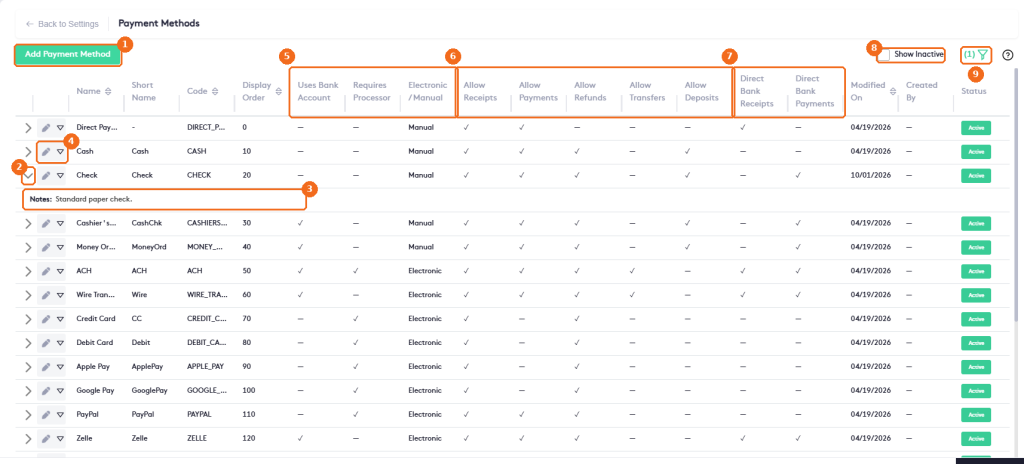
- Add Payment Method creates a method.
- Click the arrow to show the notes of the method.
- The Notes of the method.
- The edit button and the actions arrow of the method.
- How the method behaves: Uses Bank Account, Requires Processor and Electronic / Manual.
- What the method can be used for: Allow Receipts, Allow Payments, Allow Refunds, Allow Transfers and Allow Deposits.
- Reconciliation rules: Direct Bank Receipts and Direct Bank Payments.
- Show Inactive also lists disabled methods.
- The filter button. Filter by Name, Code or Electronic/Manual; click More to filter by the behavior, usage and reconciliation options, Less to hide them and Clear to remove the filters.
The list also shows the Short Name, the Code, the Display Order, when the method was modified, who created it and its Status.
Add a payment method
Click Add Payment Method.
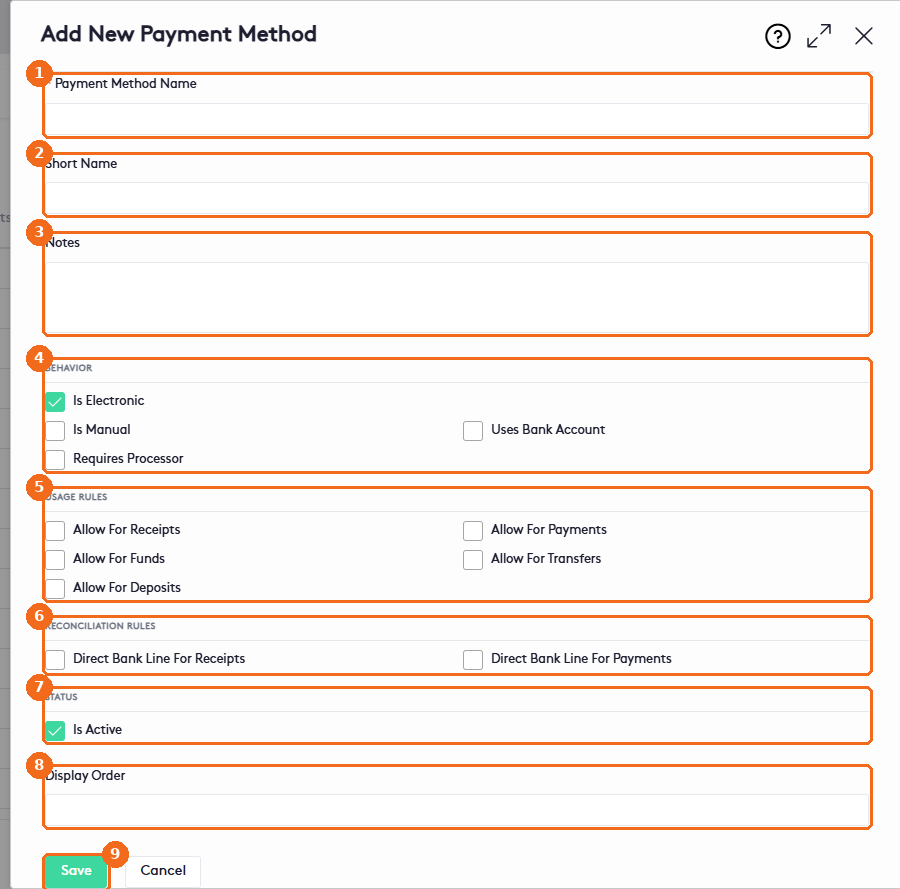
- Enter the Payment Method Name (required).
- Enter a Short Name.
- Add Notes.
- Behavior: check Is Electronic or Is Manual, Uses Bank Account if the method moves money through a bank account, and Requires Processor if a payment processor handles it.
- Usage Rules: check what the method can be used for: receipts, payments, refunds, transfers and deposits.
- Reconciliation Rules: check Direct Bank Line For Receipts or Direct Bank Line For Payments when each transaction appears as its own line on the bank statement.
- Status: Is Active makes the method available.
- Enter the Display Order: methods with a lower number appear first in the lists.
- Click Save.
You don’t enter a Code: Maatdesk generates it (for example CASH). To change a method, including a predefined one, click its edit button. The Edit Payment Method panel has the same fields as the add panel.
Disable or delete a payment method
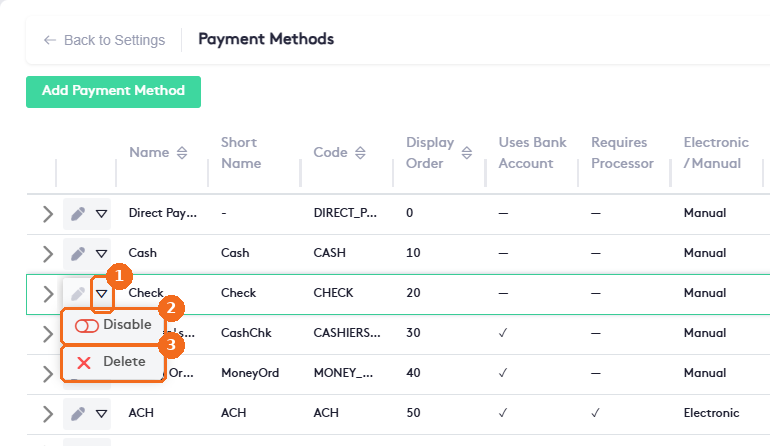
- Click the actions arrow of the method.
- Disable hides the method from new transactions. Check Show Inactive to see it again.
- Delete removes the method. Predefined methods, such as Cash, also offer Disable and Delete.
Note. Disable a method that was already used instead of deleting it, so past transactions keep their method.